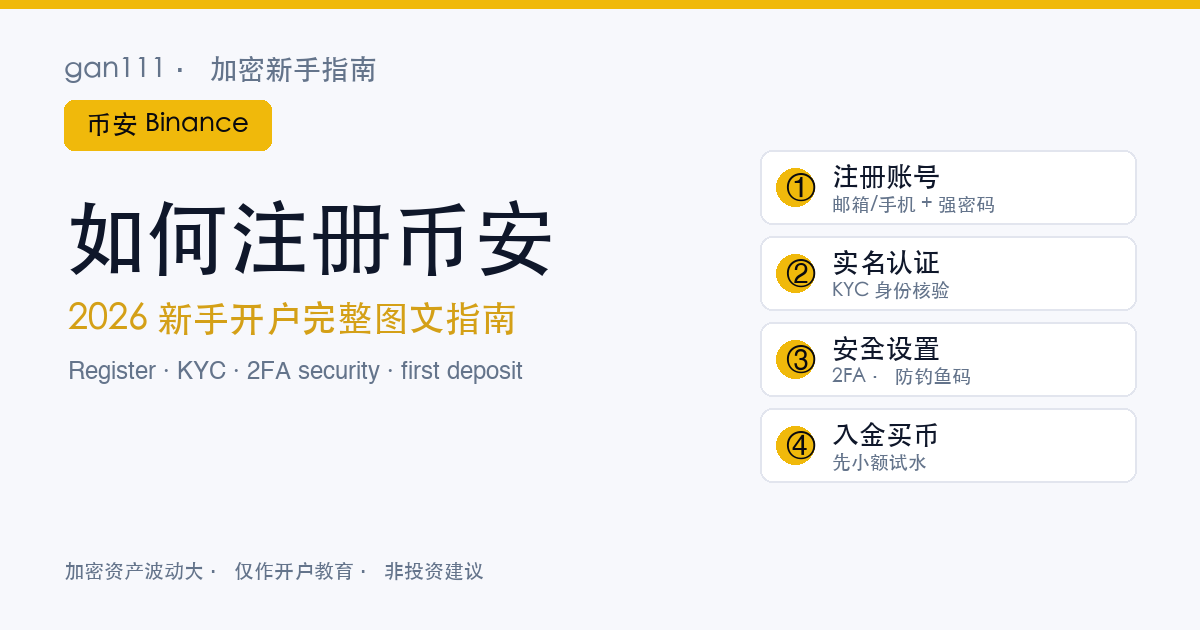
People message me all the time asking "how do I actually sign up for Binance?" Honestly, the sign-up takes two minutes. What trips beginners up is the steps right after — security left unconfigured, KYC getting stuck, a first deposit that ends up frozen. So here I'll walk through registration, security, KYC and buying your first coin in the order a real beginner goes through them, pitfalls included. This is an operational walkthrough, not investment advice.
§1 · Get these ready before you start
Gather your materials first so you don't have to stop halfway and go hunting:
- An email or phone number you actually use: for verification codes and account recovery. Pick the one you check every day, not a throwaway inbox.
- A valid ID: ID card, passport, or driver's licence — you'll need it for KYC later. Glance at the expiry date first.
- A secure connection: don't register or log in over public Wi-Fi. Mobile data or your home network is safer.
Why do so many beginners pick Binance? A few objective points: it's one of the largest exchanges by volume, and deep liquidity means lower slippage and faster fills when you buy or sell; its range of coins, deposit methods and languages is fairly complete; and the basics — proof of reserves, a support system — are relatively mature. Of course "big" doesn't mean "guaranteed gains"; no exchange guarantees your returns. Choosing the exchange is only step one. For how to actually choose, I broke down seven dimensions in how to pick an exchange — worth a look alongside this.
§2 · Step one: open the official site and create your account
The sign-up flow is short. What matters is entering from the right door. Crypto is full of fake sites and phishing links, and landing on the wrong domain is the number-one beginner trap. The safest move is to reach the official page through a trusted link — you can register on Binance through this link (referral code XG188), which sends you to Binance's official sign-up page and fills in the referral code automatically, so you don't copy it by hand and get it wrong.
Once you're on the sign-up page, go in order:
- Choose email or phone to register: either works, and you can bind the other later. For beginners I'd suggest email — it's easier to log in across devices.
- Set a strong password: at least 12 characters, mixing upper and lower case, numbers and symbols. Don't reuse this password on any other site — credential stuffing (a reused password leaked elsewhere) is the most common way accounts get hijacked.
- Enter the referral code: coming in through this site's link, that field is usually pre-filled (XG188). Signing up with a referral code gives you a fee discount, which only works in your favour.
- Verify with the code: you'll get a numeric code by email or SMS — enter it, then clear a slider or image CAPTCHA.
At this point your Binance account exists. But do not rush to deposit — the next step matters ten times more.
§3 · Step two: the first thing after registering is security
I've seen far too many accounts get drained, and it's nearly always because someone went straight to buying coins after signing up, with no security set at all. Your exchange account holds real money, so security is something you do immediately after registering, not "when I get around to it." Three things, ten minutes, done once:
1. Turn on two-factor authentication (2FA)
This is the single most important one. With 2FA on, a password alone can't get into your account — you also need the 6-digit code generated on your phone. Prioritise like this:
- An authenticator app: install Google Authenticator or Authy, scan to bind it, and from then on every login and withdrawal needs the rotating code it generates. Far safer than SMS.
- Passkey: Binance now supports passkeys — verify directly with your phone's fingerprint or face. Convenient and phishing-resistant, so turn it on if you can.
- SMS verification: better than nothing, but vulnerable to SIM-swap attacks. Keep it as a backup only, never your only method.
When you bind the authenticator, the screen shows a recovery key (a long string of letters and digits). Write it down on paper, or screenshot it and store it offline. If your phone is lost or the app is deleted, that key is the only way to restore 2FA — otherwise you can be locked out of your own account for days.
2. Set an anti-phishing code
In your security settings, set an anti-phishing code (a short string you choose). After that, every official email Binance sends you will carry that code in the subject line or body. From then on, any "Binance email" without the code, or with the wrong code, is fake — no need to think twice. This single trick blocks almost every email pretending to be official.
3. Enable a withdrawal address whitelist
In your security settings, turn on the withdrawal address whitelist (also called address management). Once on, you can only withdraw to addresses you've added and confirmed in advance. Even if your account is somehow compromised, an attacker can't send funds to an unknown address. As a beginner, add your own regular wallet address now — it'll save you hassle later too.
§4 · Step three: identity verification (KYC)
With security in place, do your identity verification — KYC, short for Know Your Customer. A lot of beginners find it a pain and want to skip it, but honestly — there's no getting around it these days.
Why it's required: first, compliance — regulators everywhere require exchanges to verify users' identities; second, unlocking limits — without KYC your deposit and withdrawal limits are tiny or unusable; third, it's a prerequisite for moving money — fiat purchases and C2C trades almost always require completed verification.
What to prepare:
- A valid government-issued ID: ID card, passport, or driver's licence — make sure it's clear and not expired.
- A face scan: follow the prompts and complete a liveness check with your phone camera — the blink-and-turn kind — to prove it's really you.
- Accurate details: name and date of birth must match the document exactly. Mistakes get bounced back for redo.
One honest note: review takes time. If it goes smoothly it auto-approves in minutes; during busy periods, or if your photo isn't clear enough, it can take a few hours to a day or two. That's normal — don't resubmit over and over, just wait. If it stays stuck, then contact official support.
§5 · Step four: deposit and buy your first coin
Once KYC clears, you can deposit and buy. Beginners commonly use these methods:
- C2C / P2P (peer-to-peer): on Binance's built-in P2P platform, you trade with a merchant who holds USDT, paying them by local payment app or bank transfer, and the USDT lands in your account. Only ever trade with verified merchants.
- Card purchase: buy directly with a Visa or Mastercard — instant, but with higher fees (around 2%).
- Transfer from another wallet: if you already hold USDT elsewhere, send it on-chain — the cheapest route, but pick the right network and double-check the address.
For your first deposit, run the whole flow with a small amount you can afford to lose —
deposit, buy, then withdraw a small amount back out.
Get the full round trip working and confirm each step goes smoothly before you scale up.
The classic beginner mistake is going big on the very first try and then getting stuck somewhere with no recourse.
One more for C2C: never write "USDT," "Bitcoin," or "buying crypto" in the transfer note — that can get the recipient's payment account flagged by risk controls.
What to buy? This piece won't choose for you — that's an investment decision. Beginners usually start with majors like BTC and ETH, in small size, just to get used to the mechanics. For what crypto actually is and why it matters, circle back to what is Bitcoin to shore up the fundamentals.
§6 · An honest heads-up: confirm regional availability first
A lot of guides skip this, but I have to say it plainly: Binance isn't available in every country and region.
- US users: you use the separate Binance.US, whose features differ from the main site — the two aren't interchangeable.
- Some restricted regions: for regulatory reasons, Binance has stopped or limited service in certain countries, so sign-up or some features may not be available.
- Policy shifts: crypto regulation has been moving fast these past couple of years — usable today doesn't mean usable forever.
So before you register, confirm whether you can use it where you live, rather than discovering halfway through KYC or a deposit that it won't work. Other major exchanges (OKX, for instance) have broadly the same sign-up flow — the logic of security setup, KYC and deposits is largely universal. This piece focuses on Binance, but switch exchanges and the thinking is the same.
§7 · After registering, the traps beginners should avoid
Account created, coins bought — here's how to step on fewer landmines next:
1. Watch for fake support and fake apps
Official Binance support will never DM you on Telegram, and will never ask for your password, codes, or private keys. Any "support agent" telling you to transfer funds, share your screen, or install some app is 100% a scammer. Only download the app from the official site or a legitimate app store, never an installer from a random link. These schemes are endless, so I wrote a whole piece on it — 8 crypto scams I have seen. Strongly recommend reading it through.
2. Verify the official domain
Phishing sites can look identical to the real thing, off by a letter or two in the domain. Bookmark the official address and only ever enter through the bookmark. Don't search for it every time — the ad slots at the top of search results are often fakes.
3. Don't keep everything on the exchange
This is the veterans' consensus: an exchange is a tool for funding and trading, not a vault. Small amounts for day-to-day trading are fine to leave there, but for long-term holdings and larger sums, move them to a wallet where you control the keys. For how wallets work and how to store a seed phrase, see the wallet piece. In one line: money is only truly yours when it's in your own hands.
§8 · After registering, what to learn next
By this point you have a Binance account that's secured, verified, and can move money in and out, and you've bought your first small amount of crypto. The rest is building understanding slowly — don't rush to scale up, don't touch leverage. Read on from here:
- To understand what you just bought — what is Bitcoin.
- To see why I recommend Binance and how it compares — how to pick an exchange · 7 dimensions.
- To get security and scam-defence solid first — 8 crypto scams I have seen.
One last old refrain: crypto markets are volatile and risky — only invest what you can afford to lose. This piece is about how to operate and how to lock down your account. It isn't investment advice; whether you buy, and whether you profit, is your call. Tools ready — go steady.
§9 · FAQ
Does it cost money to register on Binance?
Opening the account itself is free, and so is completing KYC verification. The only money you ever spend is the amount you deposit to buy crypto, plus the trading and withdrawal fees. No legitimate exchange charges a fee just to register, so if anyone asks you to pay to sign up, it is a scam.
Do I have to complete KYC to register on Binance?
For compliance reasons, almost every major exchange now requires KYC verification before you can deposit, withdraw, or raise your limits. You can sign up and look around first, but to actually buy crypto and move money in or out, KYC is unavoidable. Have a valid ID ready and do the face scan; approval usually takes anywhere from a few minutes to a day or two.
Can I register on Binance without an ID?
Creating an account only needs an email or phone number, no ID. But to pass KYC you must provide a valid government-issued document such as an ID card, passport, or driver's licence, plus a face scan. Without any valid document you cannot complete verification, which means the core features such as deposits and withdrawals stay locked.
What should I do first after registering on Binance?
Not deposit money — set up security first. Turn on two-factor authentication (2FA) using Google Authenticator or a Passkey, then set an anti-phishing code so you can tell real Binance emails from fakes at a glance, and if you can, enable a withdrawal address whitelist. Finish security before you do KYC and deposit; don't reverse the order.